
01 / WORKSPACE ENTRY
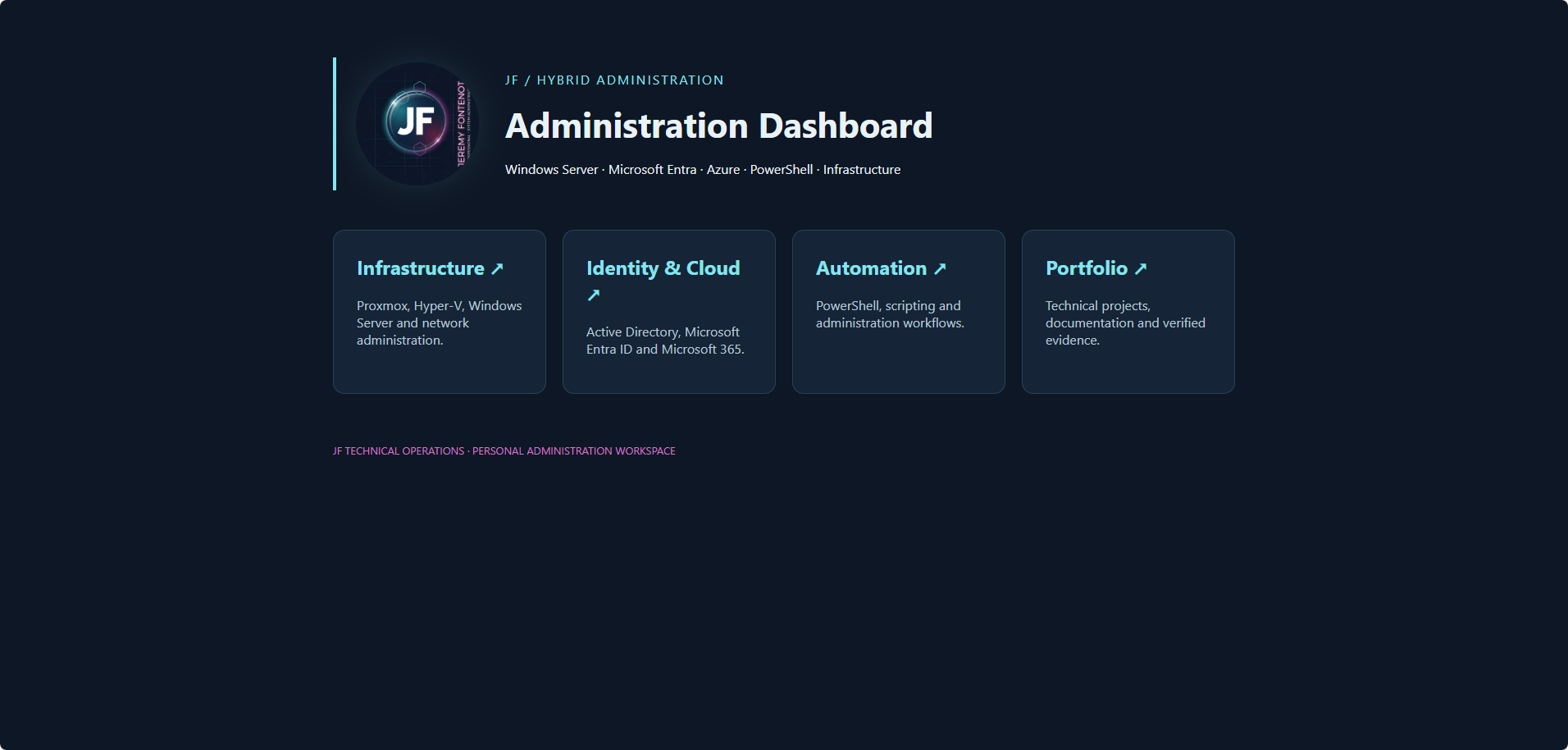
Administration Dashboard Overview
Central entry point for infrastructure, identity and cloud, automation, and portfolio operations.
 View original dashboard screenshot ↗
PROJECT 15 / POWERSHELL & AUTOMATION
A local PowerShell 7 administration dashboard connecting repeatable hybrid-infrastructure checks, Microsoft cloud inventory, Windows LAPS validation, and guarded Active Directory provisioning.
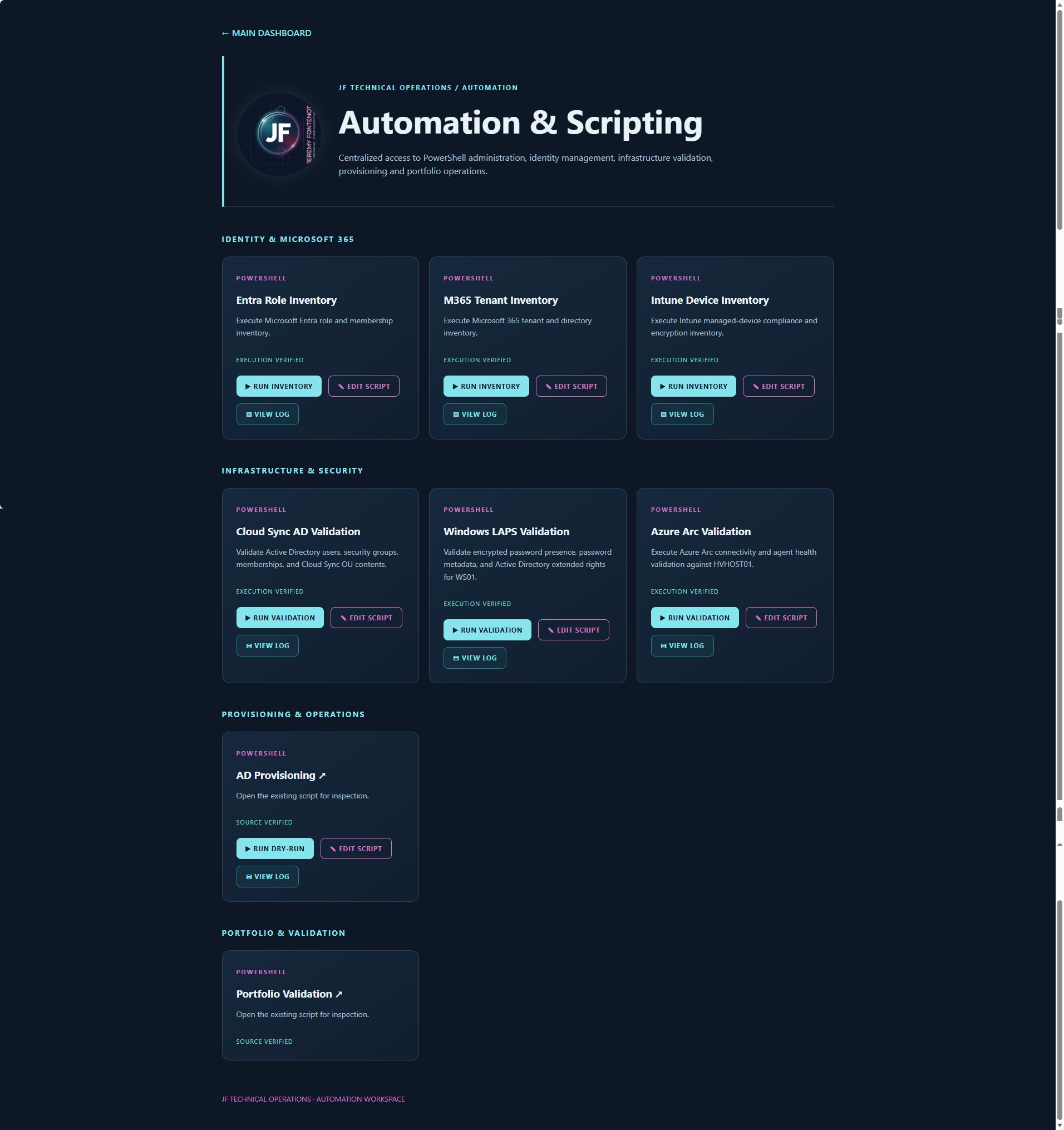
A locally hosted dashboard presents eight administration cards. Seven validated workflows expose Run, Edit, and View Log actions. A custom jf-script:// protocol is routed through a PowerShell launcher, with a shared protocol handler and execution wrapper. Execution results are retained as timestamped logs for repeatable troubleshooting and review.
The dashboard is a local administration interface, not a public remote-command service. Its eighth card, portfolio validation, is reserved for integration with the repository's validation suite.
PROJECT 15 / DASHBOARD IMPLEMENTATION
These original captures document the locally hosted JF administration workspace, the PowerShell automation interface, and infrastructure navigation. The cards and controls demonstrate the implemented user interface; individual execution outcomes are supported separately by the five retained PASS screenshots below.
01 / WORKSPACE ENTRY
Central entry point for infrastructure, identity and cloud, automation, and portfolio operations.
View original dashboard screenshot ↗02 / POWERSHELL OPERATIONS
Eight workflow cards grouped by Microsoft 365, infrastructure security, provisioning, and portfolio validation. Run, Edit Script, and View Log controls are visible where configured.
 View original automation screenshot ↗
03 / INFRASTRUCTURE NAVIGATION
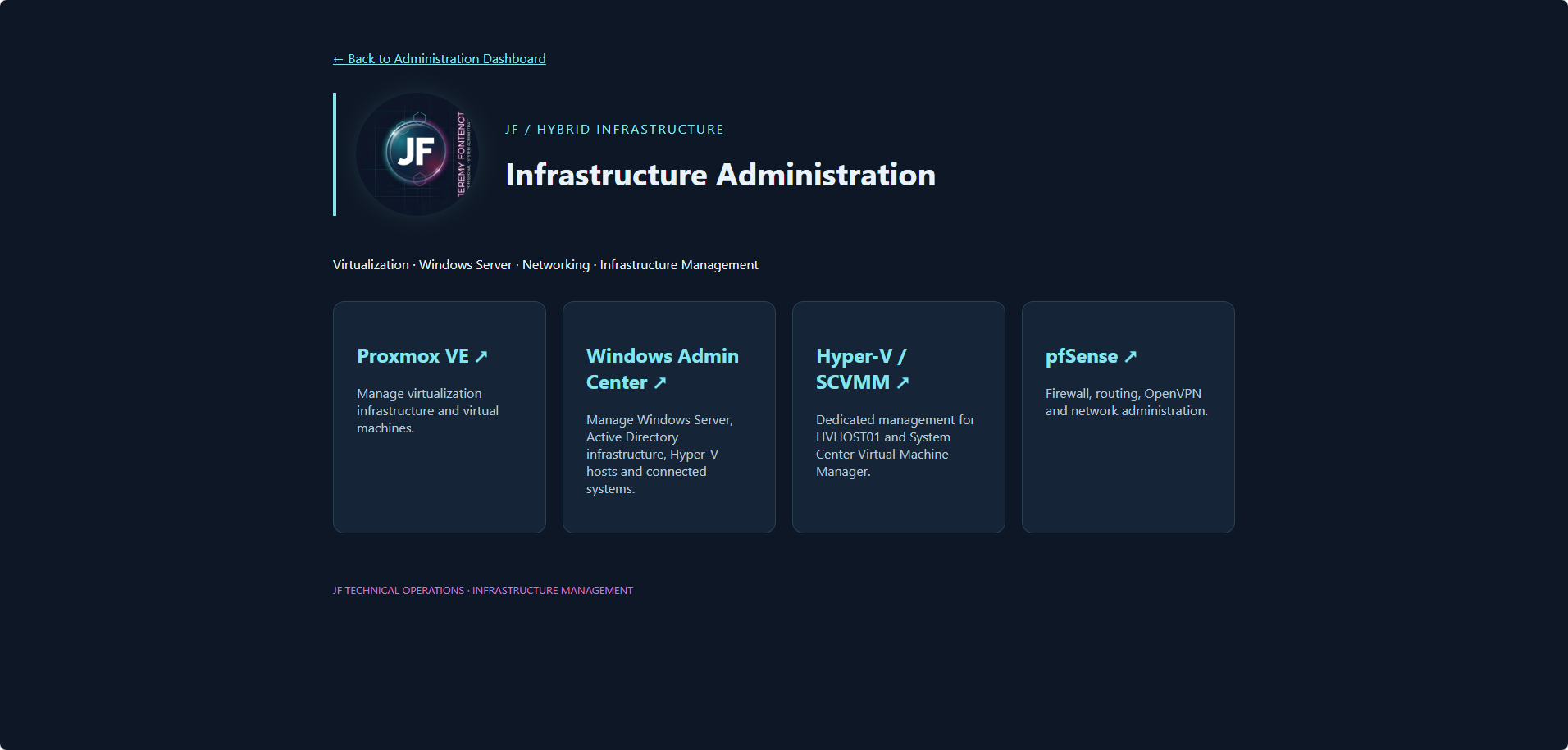
Local administration navigation for Proxmox VE, Windows Admin Center, Hyper-V/SCVMM, and pfSense. The screenshot documents the interface, not current connectivity to each system.
 View original infrastructure screenshot ↗
01 / HYBRID
Inspect connected-machine and Arc service state across the Windows home lab.
02 / IDENTITY
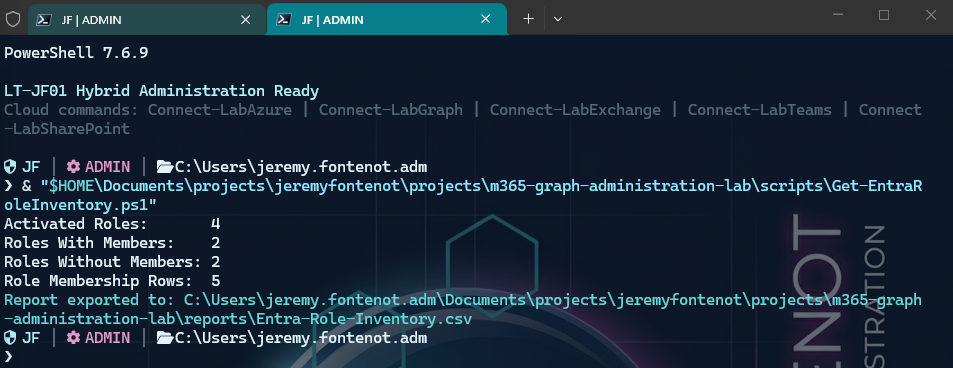
Report activated directory roles, role members, and membership counts.
03 / CLOUD
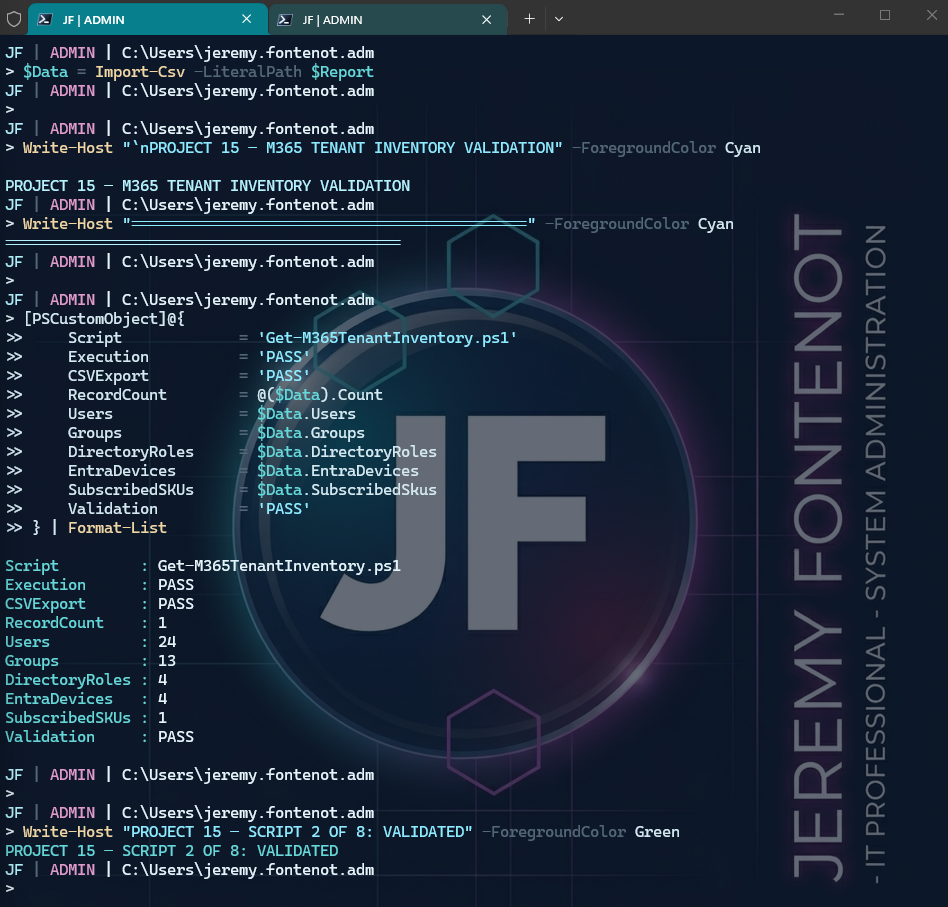
Report tenant users, groups, licensing, directory roles, and device inventory using Microsoft Graph.
04 / ENDPOINT
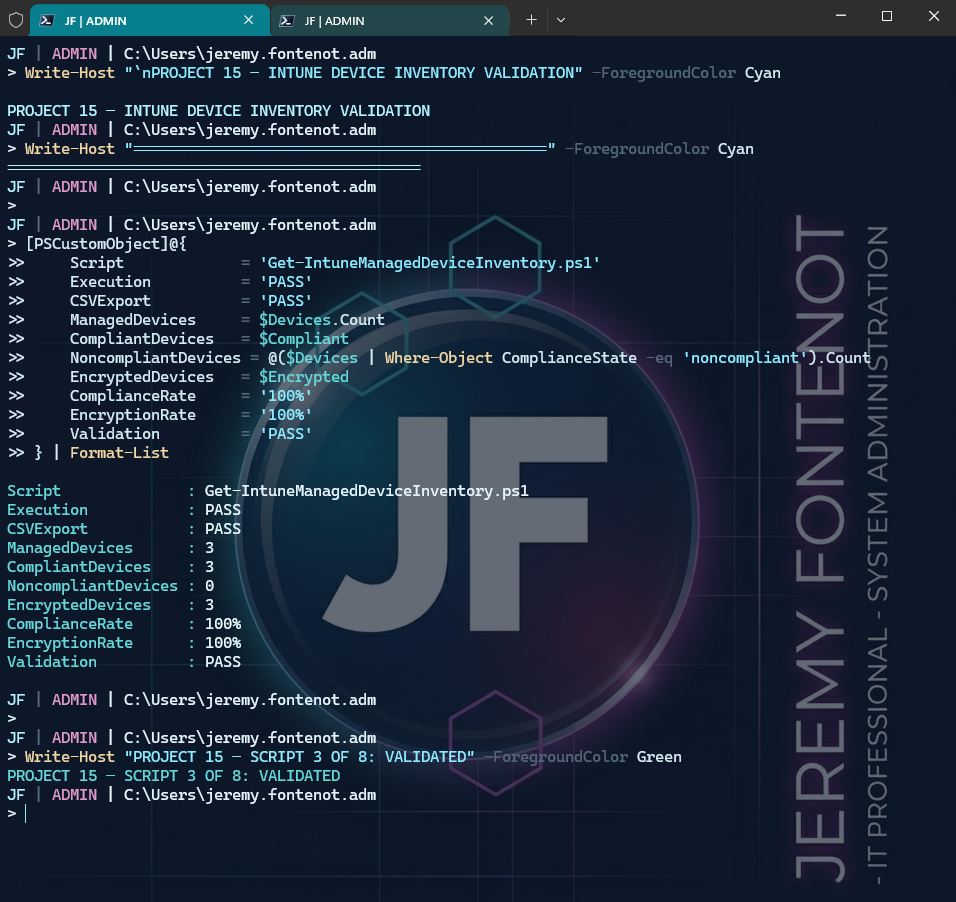
Collect managed-device and compliance information through read-only Graph queries.
05 / HYBRID IDENTITY
Validate identity, synchronization-related attributes, directory connectivity, and expected account state.
06 / SECURITY
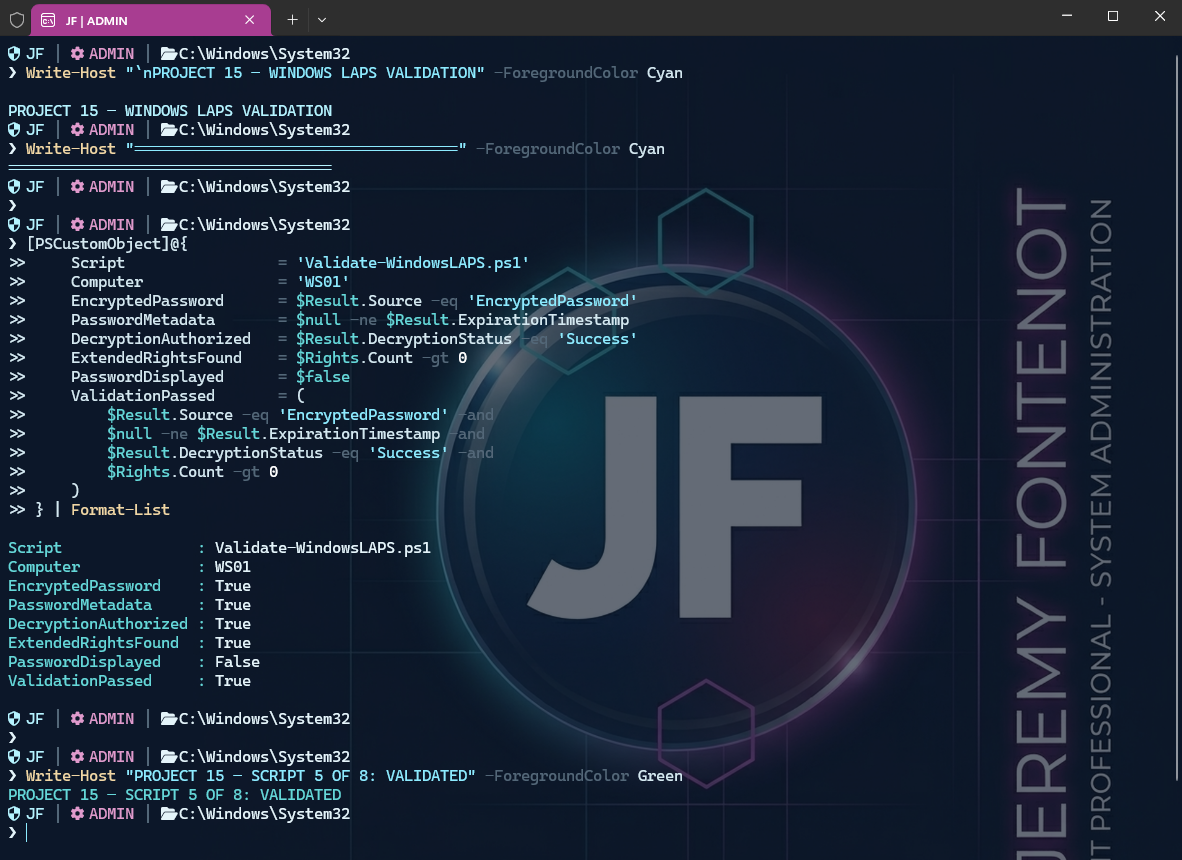
Inspect LAPS authorization, encrypted password metadata, and validation outcomes without exposing a managed password.
07 / DIRECTORY
Run controlled dry-run-only provisioning checks to review intended changes without creating or modifying accounts.
08 / QUALITY ASSURANCE
Provides an edit entry point for the repository's validation suite; automated execution is gated on successful validation.
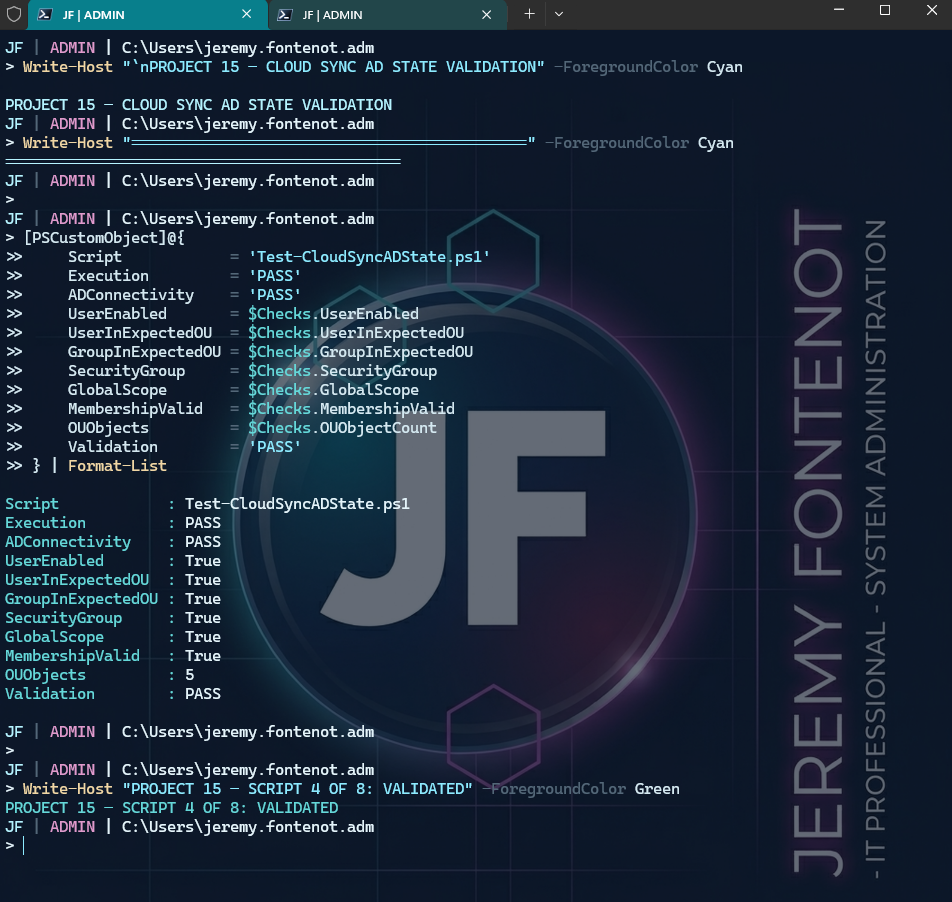
Original PowerShell console screenshots captured successful checks for Cloud Sync / AD state, Entra role inventory, Microsoft 365 tenant inventory, Intune managed-device inventory, and Windows LAPS. The five original validation screenshots are published below as directly accessible PNG evidence. The broader dashboard workflow also includes Azure Arc validation and guarded AD provisioning.
Validation screenshots show command output and PASS results; they do not imply production tenant administration or unattended write access.
Evidence standard: These original PASS captures document specific test outcomes at capture time; they are not claims about the current state of a tenant or live infrastructure.
The original Project 15 validation screenshots are published below, alongside retained source and related technical evidence.
 View original PNG ↗
 View original PNG ↗
 View original PNG ↗
 View original PNG ↗
 View original PNG ↗
Read-only directory-role reporting implementation.
Open PowerShell source ↗Retained hybrid synchronization validation.
Open Cloud Sync evidence ↗Retained directory schema evidence.
Open LAPS evidence ↗