Overview
A managed nested Hyper-V host, VMM logical networking, and validated APP01 lifecycle operations.
Classification: Validated lab work.
Operational scenario & objectives
Centralize Hyper-V management without replacing Proxmox; model the lab network, manage existing switches, and validate VM operations.
Environment & technologies
VMM01 runs SCVMM 2022, managing HVHOST01 as one nested Hyper-V host and APP01 as an observed guest.
Architecture
VMM01 runs SCVMM 2022, managing HVHOST01 as one nested Hyper-V host and APP01 as an observed guest.
Explore infrastructure architecture →Implementation & administration
Windows Server · Virtualization management · Logical networking · Remote administration
SCVMM 2022 management from server build to VMM-managed networking and VM operations.
Built a System Center Virtual Machine Manager environment on VMM01, added HVHOST01 as a managed Hyper-V host, repaired host-agent management credentials, modeled the 10.10.20.0/24 lab in VMM, converted the existing Hyper-V switch to a VMM logical switch, classified APP01 network traffic, and validated lifecycle operations without breaking the isolated lab path.
Centralize a nested Hyper-V environment without replacing Proxmox.
The lab keeps Proxmox as the underlying platform while using VMM01 and SCVMM to manage the nested Hyper-V layer on HVHOST01. The work now covers installation, prerequisite remediation, service identity, host onboarding, Run As credentials, logical network and IP-pool modeling, logical-switch conversion, port classification, VM discovery, lifecycle control, checkpoint handling, interactive console use, and a deliberately scoped remote-management path.
- Management server
- VMM01 running the SCVMM management server and console.
- Managed host
- HVHOST01, a Windows Server 2022 nested Hyper-V host.
- Managed workload
- APP01, discovered from the existing Hyper-V inventory and managed through VMM.
- Logical network
admapped to 10.10.20.0/24 with VMM IP pool 10.10.20.201–10.10.20.220.- Boundary
- Personal nonproduction lab; no clustering, high availability, live migration, or enterprise-scale claim.
Validated management path
The tested control chain stayed narrow and reviewable.
Implementation and troubleshooting
Build, remediate, onboard, and verify.
Server and database foundation
Prepared VMM01 on Windows Server 2022 and installed SQL Server 2022 Developer as the local database platform for the VMM management server.
ADK and WinPE prerequisites
Installed Windows ADK Deployment Tools and the Windows PE add-on. When VMM could not locate the Component Studio libraries, verified that the DLLs existed under WSIM\amd64 and copied the WSIM architecture files into the root path expected by Setup.
Dedicated service identity
Created JFAD\svc_scvmm, configured the account for the lab service role, added it to VMM01's local Administrators group, and used it for the Virtual Machine Manager service.
SCVMM installation
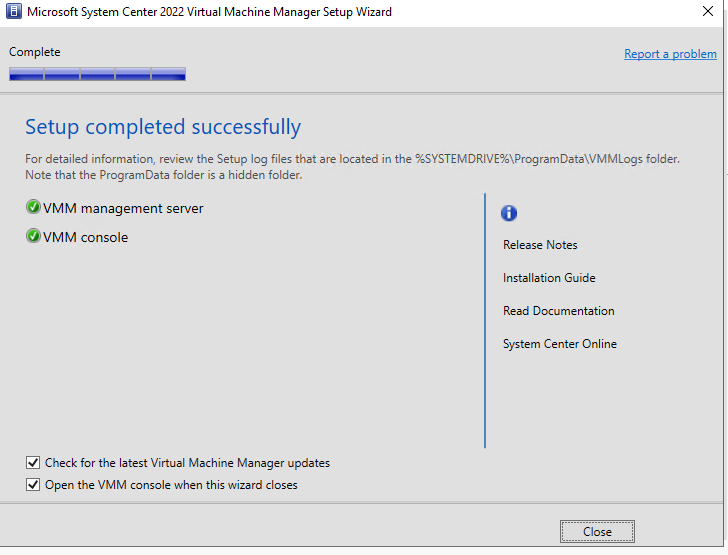
Installed both the SCVMM 2022 management server and VMM console, configured the local VMM database and library, retained standard service ports, and verified a successful console connection to VMM01.
Hyper-V host onboarding
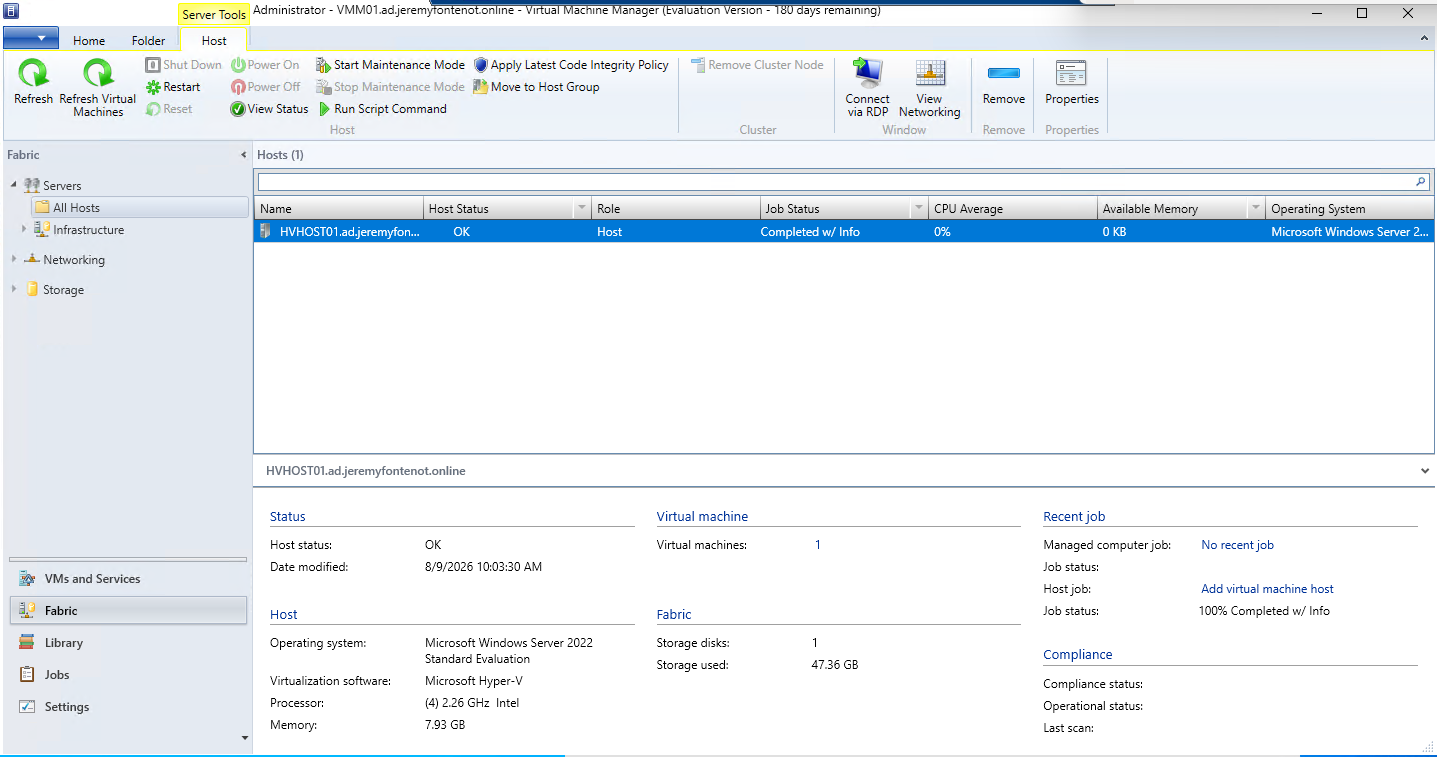
Added HVHOST01 as a trusted-domain Hyper-V host. The first agent deployment exposed an unreachable ADMIN$ path; TCP 445 testing isolated the firewall block, File and Printer Sharing was enabled, and the retry completed with host status OK.
VM discovery and control
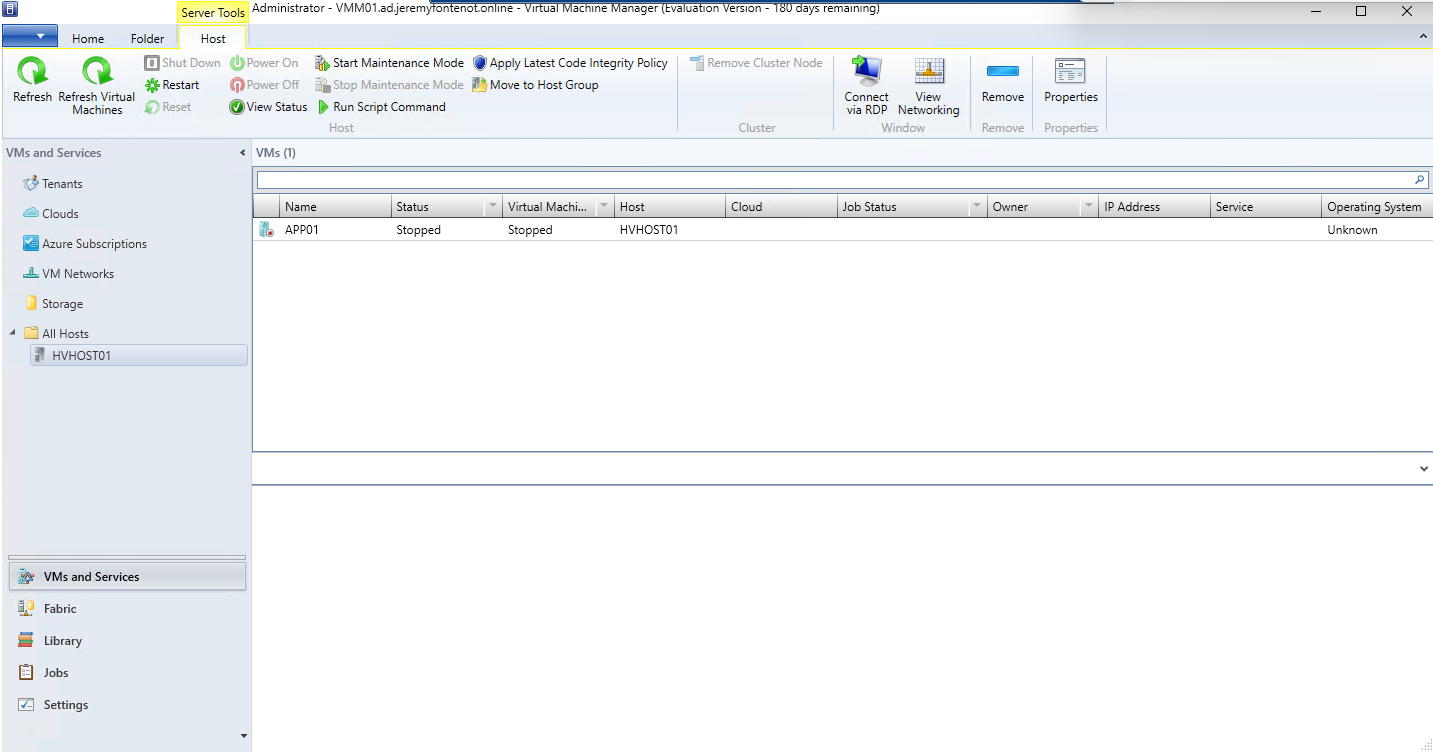
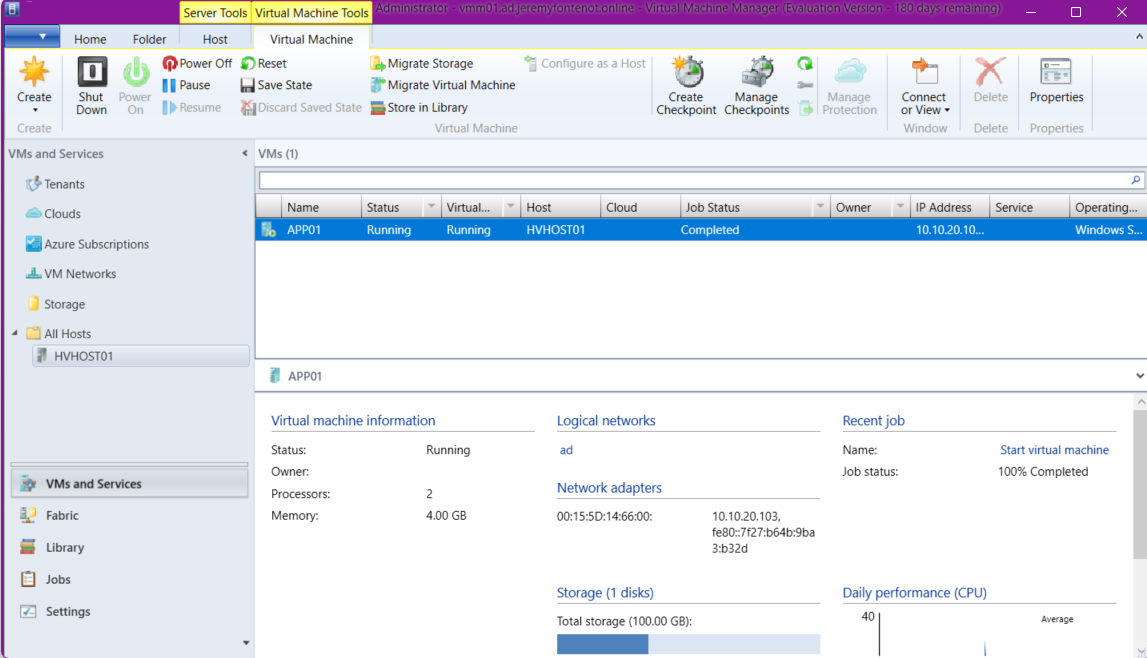
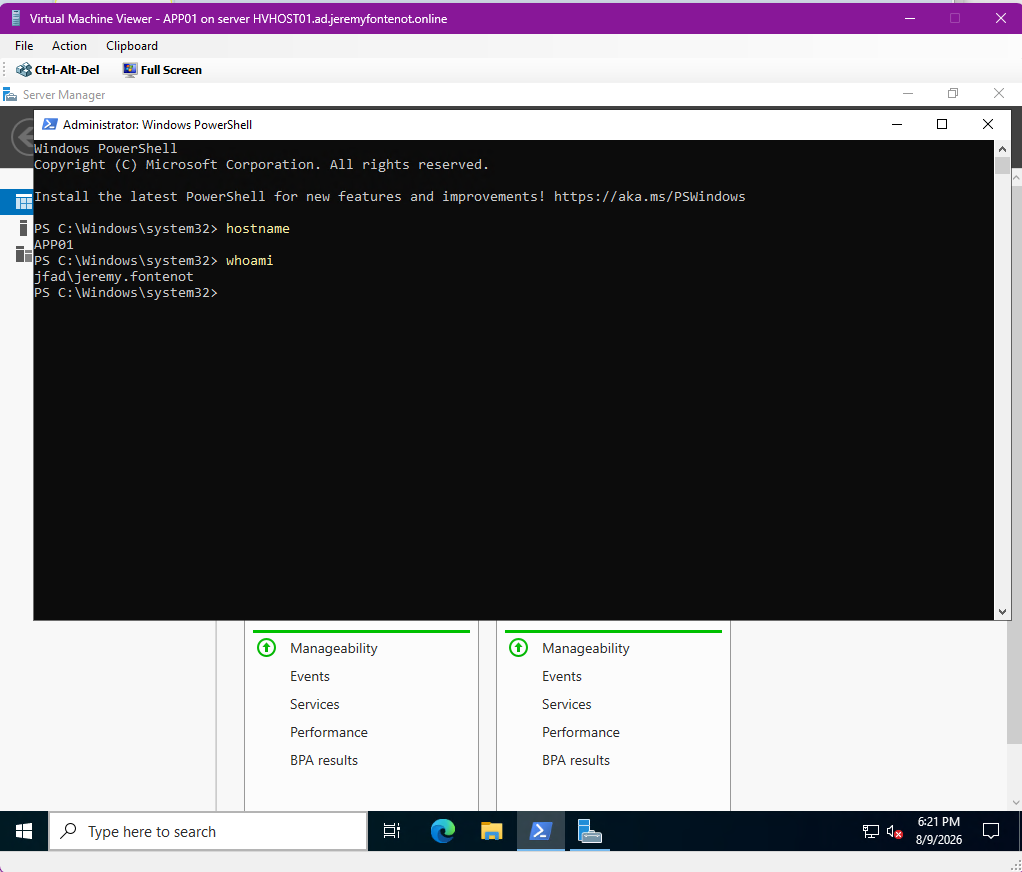
SCVMM discovered APP01 on HVHOST01. Remote power-on completed successfully, guest information populated, and VM Viewer confirmed an interactive APP01 console session.
Laptop console over OpenVPN
Installed only the VMM console MSI on the non-domain-joined laptop, connected to VMM01 with domain credentials through OpenVPN, and validated TCP 8100 access plus APP01 control and console viewing.
Temporary access cleanup
Removed the temporary SCVMM installer SMB share, deleted the laptop's cached SMB connection, and removed the temporary OpenVPN TCP 445 rule. TCP 8100 remains as the scoped VMM console path.
August 15, 2026 operational update
Extended the lab from host management into VMM logical networking and repeatable operations.
This working session focused on correcting host-management health, bringing the existing Hyper-V network under VMM control, and exercising APP01 through the VMM abstraction layer while preserving the isolated 10.10.20.0/24 lab behind pfSense.
Recovered VMM host-agent health
HVHOST01 initially reported Needs Attention with VMM error 12704 even though vmms and SCVMMAgent were running and both server and agent were version 10.22.1287.0. WinRM tests passed. A VMM Run As account named HVHOST01 Management was created with the validated domain-management credential and assigned under Host Access. After refresh, host status, network, WinRM, agent service, and agent version all reported OK.
Modeled the isolated AD network
Validated the VMM logical network ad and network site AD-10.10.20.0-24 for subnet 10.10.20.0/24. The static VMM IP pool spans 10.10.20.201 through 10.10.20.220 and VMM reports the logical network as Fully compliant.
Resolved logical-switch conversion blockers
The existing External-LAN standard switch could not convert while the VMM logical switch used a different minimum-bandwidth mode and uplink teaming mode. The Host management port profile weight was cleared, HomeLab-Logical-Switch was changed to Absolute bandwidth mode, and its uplink mode was changed to No Uplink Team to match the single-adapter standard switch.
Converted to a VMM logical switch
Converted External-LAN into HomeLab-Logical-Switch using the HomeLab-Uplink uplink profile. VMM completed the host-change job successfully, Hyper-V reported the new external switch name, and the host management vNIC retained 10.10.20.102/24, gateway 10.10.20.1, and DNS 10.10.20.10.
Applied a VM traffic classification
Adjusted the built-in Medium Bandwidth Adapter profile so it was compatible with the logical switch's Absolute bandwidth mode, mapped the Medium bandwidth classification into HomeLab-Logical-Switch, and assigned that classification to APP01's virtual network adapter.
Validated guest network and domain services
APP01 remained connected to HomeLab-Logical-Switch with status Ok. Inside the guest, 10.10.20.103/24, gateway 10.10.20.1, and DNS 10.10.20.10 remained intact. Gateway ping succeeded, DC01 resolved to 10.10.20.10, and TCP 389 to the domain controller succeeded.
Exercised checkpoint lifecycle
Created the VMM checkpoint Pre-VMM-Lab-Changes while APP01 remained running, verified the checkpoint in APP01 properties, then deleted it and confirmed the checkpoint list returned to empty.
Protected resource headroom
Measured HVHOST01 at four logical processors and about 8 GB RAM. APP01 Dynamic Memory was already configured with 2048 MB minimum, 4096 MB startup, and 6144 MB maximum; its active assignment had settled to 2 GB with memory status OK. No additional Windows VM was deployed so the nested host retained practical headroom.
Observed results
The management behaviors were exercised, not inferred.
HVHOST01 status OK
Network, WinRM, Host Agent Service, Host Agent Version, and overall host health were returned to OK after assigning the Run As account.
10.10.20.0/24 fully compliant
The ad logical network, network site, and 20-address VMM pool were recognized as fully compliant.
External-LAN converted successfully
HVHOST01 now exposes HomeLab-Logical-Switch as the external Hyper-V switch while preserving the existing host management IP path.
APP01 classification and connectivity
APP01 uses HomeLab-Logical-Switch with the Medium bandwidth classification and retained working gateway, DNS, and LDAP connectivity.
Checkpoint create and delete
The VMM checkpoint workflow completed without stopping APP01, and cleanup returned the VM to a checkpoint-free state.
OpenVPN management retained
Remote administration continued through the lab VPN path rather than exposing the isolated 10.10.20.0/24 network directly to the home subnet.
Screenshot evidence
Preserved VMM screenshots anchor the management story.
The gallery contains the previously imported SCVMM working-session screenshots. The August 15 update extends the same case study with the validated logical-network, logical-switch, host-health, APP01 classification, connectivity, and checkpoint work recorded during the VMM project session.
Scope and limitations
A working management lab, not an enterprise VMM deployment.
The evidence supports a single SCVMM 2022 management server, one managed nested Hyper-V host, one observed guest, a VMM logical network and IP pool, conversion of an existing external switch into a VMM logical switch, VM port classification, remote lifecycle control, checkpoint handling, VM Viewer access, and a scoped OpenVPN management path. It does not prove clustering, high availability, live migration, Storage Spaces Direct, enterprise scale, production availability, security assurance, or management of Proxmox guests through VMM.
The original case-study narrative and linked evidence provide the detailed record for this project.
Troubleshooting
The published case study records prerequisite remediation and repaired host-agent management credentials before validating host onboarding and VMM-managed networking.
Validation & results
One host and an observed guest were managed; logical networking, checkpoint lifecycle, remote power, and VM Viewer behavior are documented.
Evidence
VERY STRONG — build, prerequisite remediation, host onboarding, logical networking, logical-switch conversion, VM operations, checkpoint lifecycle, remote console, and screenshots are documented.
Skills demonstrated
View the complete capability map →Limitations & claim boundaries
Next milestones
Maintenance-only unless VMM topology changes; optional future work must not be described as already implemented.